
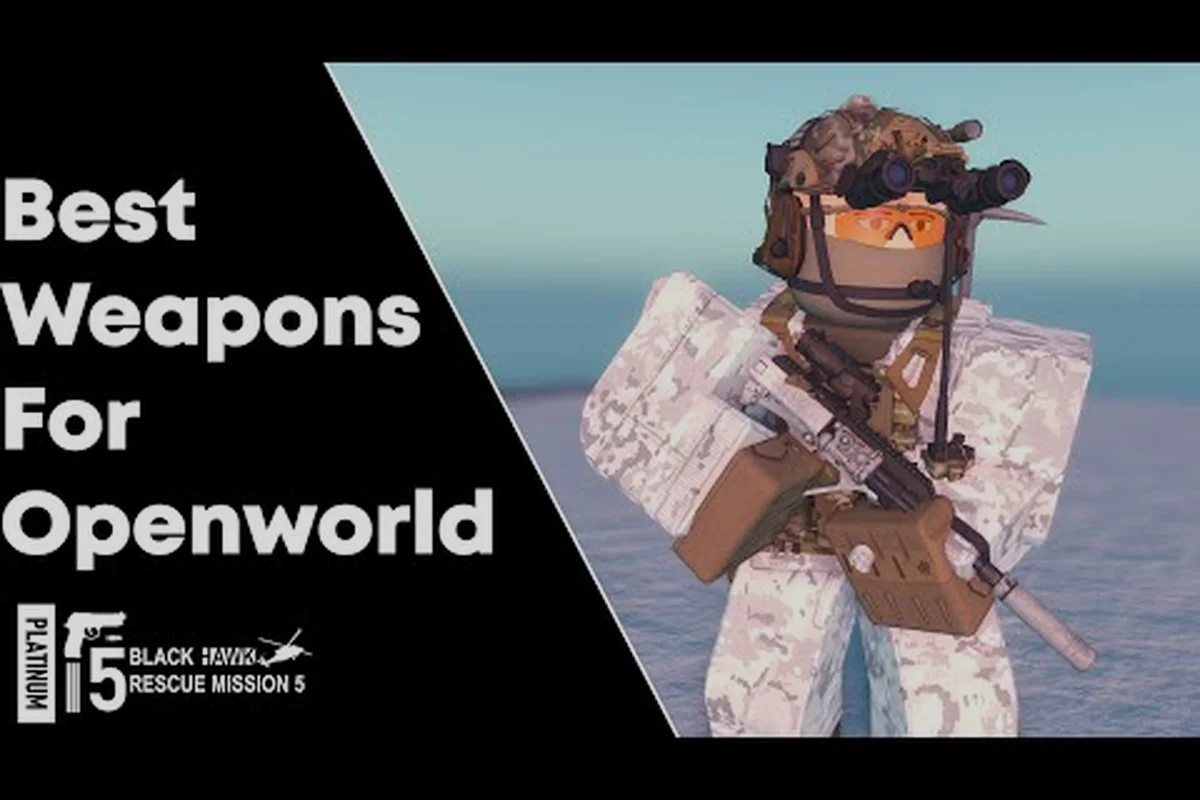
Picking the right mode in Blackhawk Rescue Mission 5 changes everything about how a session feels, from how you earn cash to how a single bad engagement can cost you a 20-minute loadout. The brm5 openworld vs PvP decision is one of the first real forks a new operator hits after the tutorial, and the wrong pick tends to frustrate players who expected something else. This guide breaks down both modes side by side, walks through the HQ upgrade path that powers most openworld progression, and shows where sandbox scenarios and the in-game console fit. By the end you should know which loop matches the kind of operator you actually want to run.
For a closer look at this topic, the official video below breaks it down in full: the BRM5 beginner video on brm5-openworld-vs-pvp.
The Two Core Loops in Blackhawk Rescue Mission 5
Both modes use the same operator, weapons, and ammo economy, but the way you earn, spend, and lose those resources is fundamentally different. Openworld is a persistent sandbox with AI factions and a long-term cash curve; PvP drops you into short tactical rounds where every life is on the line. Understanding that contrast is the first step to making the brm5 openworld vs PvP choice with confidence rather than frustration.
What Openworld Actually Is
Openworld is a large persistent map, currently built around the Sawang region, where AI-controlled factions patrol, trade, and occasionally shoot first. You spawn in, pick a loadout from your stash, and then operate freely. The loop is roughly: take a contract, move to an objective, complete it, extract, spend the cash, repeat. The community video covering the early hours of the game describes this same pattern, where players spend the first stretch building passive income at HQ before venturing out for higher-value runs.
The interesting part is the economy. Cash in openworld is shared across your account, which is why the Headquarters system matters so much. HQ upgrades give you passive income, better stash space, and faster insurance payouts, so every minute you spend in the field gets a little more efficient as you level up your base.
What PvP Actually Is
PvP in Blackhawk Rescue Mission 5 is round-based team combat, primarily 5v5, played on smaller tactical maps with no AI enemies to worry about. Loadouts are pre-built or selected from a limited pool, and deaths are permanent for the round. The pace is faster, the stakes per life are higher, and the skill floor is lower because you can lean on aim and callouts while the round handles the rest of the structure.
For a deeper look at round types and team comps, the brm5 pvp guide covers the 5v5 ecosystem in detail. For this article, the key point is that PvP is a closed loop: earn cosmetic or competitive rank rewards, reset, queue again. It does not feed your openworld stash the way some players expect.
Side-by-Side Comparison
| Feature | Openworld | PvP |
|---|---|---|
| Map Size | Large persistent region | Small tactical maps |
| Enemies | AI factions + occasional players | Other players only |
| Session Length | 20-60+ minutes | 5-15 minutes per round |
| Risk Per Death | Lose carried gear | Lose the round only |
| Cash Reward | Scales with HQ upgrades | Cosmetic / competitive |
| Skill Focus | Stealth, routing, loadout planning | Aim, callouts, positioning |
| Best For | Solo or small squad progression | Competitive team play |
HQ Upgrades and Why They Power the Openworld Grind
The HQ (Headquarters) is the home base facility that unlocks as you progress, and answering the question of brm5 what is hq is essential for any operator leaning into the openworld side. HQ is a loadout hub, a passive income source, and a stash upgrade path rolled into one building. New players often skip past the early HQ tiers because the upgrades feel small, but the compounding returns are what make a long-term openworld run actually feel rewarding.
The HQ Upgrade Path
HQ upgrades are purchased with the soft cash you earn in openworld and are permanent across all your operators. The early tiers focus on stash and insurance, the mid tiers add passive income, and the late tiers push into weapon rack and ammo bench improvements.
| HQ Tier | Approx. Cost | Key Unlock | Practical Impact |
|---|---|---|---|
| Tier 1 | ~5,000 cash | Basic stash (10 slots) | Stop losing starter AK74 every raid |
| Tier 2 | ~15,000 cash | Insurance tier 1 | Recover 40% of gear on death |
| Tier 3 | ~35,000 cash | Passive income (50/hr) | Offline earnings, slow but steady |
| Tier 4 | ~70,000 cash | Ammo bench | Craft 5.45 and 7.62 in bulk |
| Tier 5 | ~120,000 cash | Weapon rack (8 slots) | Bring M4A1 + backup without stash loss |
| Tier 6 | ~200,000 cash | Insurance tier 2 | Recover 70% of gear on death |
| Tier 7 | ~350,000 cash | Passive income (200/hr) | Real money starts happening |
These costs are based on community-reported data from early-access players and may shift with future patches, but the shape of the curve is consistent: the first three tiers are mandatory, tiers four through six are the real efficiency breakpoints, and tier seven is the long-term goal.
Why This Matters for Mode Choice
If you are torn on brm5 openworld vs PvP, the HQ curve is one of the cleanest tiebreakers. Players who enjoy a slow-burn progression loop where the goalposts move every weekend tend to thrive in openworld. Players who want measurable per-round performance and quick feedback tend to drift toward PvP, where HQ upgrades do not apply and the only progression is rank or cosmetics.
The multiplier framing also explains why the two modes feel fundamentally different in session length: an HQ boost in brm5 openworld can compound across a whole weekend of sandbox scenarios and custom scenario runs, turning a 10k cash stash into a noticeably easier Monday run, whereas PvP aim only resets every round, so a great first match does nothing to tilt your second. Pick the horizon that matches how you actually like to log in.
Sandbox Mode and Custom Scenarios
The sandbox mode in Blackhawk Rescue Mission 5 is the creative playground that lives next to the two main loops. It is also one of the most misunderstood parts of the game, because new players sometimes assume sandbox is a third PvE mode on par with openworld. It is not. Sandbox is closer to a level editor with a simulation layer, and it is where custom scenarios live.
How Sandbox Actually Works
When you load into sandbox, you spawn into a controlled slice of a map with full access to the asset library, AI director, and weather/time controls. You can place AI factions, set their behavior, drop yourself into a custom loadout, and then play out whatever scenario you scripted. According to the community video covering beginner setup, sandbox is also where many players test the stealth and AI vision mechanics before committing to a loadout in a real openworld run.
This makes sandbox a low-stakes training environment, a content creation tool, and a puzzle box all at once. It is the mode where the most creative custom scenarios show up, from full milsim extraction drills to zombie survival setups.
Custom Scenarios in Practice
Custom scenarios are saved sandbox configurations that other players can load and play. The community has been building them since early access, and the variety is wide. Here is a rough taxonomy of what is popular right now, based on community data:
| Scenario Type | Typical Setup | Why It Is Fun |
|---|---|---|
| MilSim Extraction | High-tier AI, locked loadout | Practice real extraction routes |
| Stealth Puzzle | Limited gear, patrol scripts | Learn AI vision without losing gear |
| Zombies | High-density AI, no extraction | Arcade-style horde fun |
| Range Drill | Static targets, all weapons | Test ballistics and attachments |
| Roleplay | Friendly AI, free roam | Casual content for streams/crews |
For a longer look at the survival-style scenario that has become one of the most-played custom setups, the zombies vs openworld breakdown covers how that mode evolved and why some openworld players treat it as a separate game.
Sandbox as a Mode-Choice Litmus Test
If sandbox scratches the same itch as openworld for you, that is a strong signal that the openworld side of the brm5 openworld vs PvP decision is the right one. Sandbox reuses the same AI, ballistics, and gear systems, so the skills transfer. Players who find sandbox tedious and only load it to test one specific loadout tend to enjoy PvP more, because PvP gives them the immediate tactical feedback sandbox lacks.
The In-Game Console and How It Fits
The brm5 console guide topic comes up often, because the in-game console is the most powerful tool for tweaking your sandbox and custom scenario experience. It is not a cheat menu, and it is not something you will use during a normal openworld or PvP match. The console is a developer-style command line for sandbox and editor sessions.
Console Commands and Their Practical Effects
The console accepts text commands that modify the current sandbox session. Common uses include spawning specific AI factions, changing weather, teleporting the player, and toggling god mode for testing. It does not give you money in live openworld, and it does not let you modify PvP rounds. Trying to use it in those modes simply does nothing.
A practical brm5 console guide cheatsheet should be organized as a quick-reference table grouped by sandbox scenario type — AI spawn, weather, god mode, teleport, cash, and aggression — so testers running brm5 openworld vs pvp comparisons can run reproducible commands without scrolling through forum threads. The example below assumes default keybinds and a clean sandbox save; flags like ai_aggression accept integer levels 0–4, with 3 matching the openworld raid AI and 4 reproducing PvP-like response speed.
| Command | Effect | Useful In |
|---|---|---|
sv_spawn ai <name> | Place an AI squad | Sandbox, custom scenarios |
weather set fog | Toggle fog | Sandbox, scenario testing |
god 1 | Enable god mode | Sandbox, AI testing |
tp <x> <y> <z> | Teleport player | Sandbox, map exploration |
cash add 10000 | Add sandbox cash | Sandbox, scenario setup |
ai_aggression 3 | Set AI hostility level | Sandbox, stealth testing |
Treat those console commands as version-dependent rather than authoritative: each BRM5 patch has historically trimmed or renumbered entries (for example the pre-1.4 ai_aggression integer scale was reduced from six steps to the current 0–4 range), and any command run inside a live openworld or active PvP round is silently dropped by the session handler. For the most current command set tied to the brm5 openworld vs pvp sandbox, cross-check the Lunarium community wiki against the in-game help dump before you script a comparison run.
Where the Console Fits in Mode Choice
The console is a sandbox tool, full stop. But it indirectly informs the brm5 openworld vs PvP decision because it is one of the strongest learning resources for openworld players. You can load into sandbox, drop a high-tier AI patrol, and practice the same stealth and routing mechanics you will use in a real openworld run, all without the 20-minute time penalty of dying to a patrol you did not see.
For PvP players, the console is mostly irrelevant. The mechanics it exposes (AI vision, ballistics, patrol routing) are not the same skills that win a 5v5 round. Knowing the console will not improve your K/D, but knowing the openworld AI vision system absolutely will improve your openworld survival rate.
Which Mode Should You Actually Pick
Putting it all together, the brm5 openworld vs PvP question really comes down to three things: time horizon, risk tolerance, and what kind of feedback loop keeps you playing. The matrix below is a quick way to score yourself, though nothing beats a few hours in each mode to confirm.
Decision Matrix
| Player Type | Best Mode | Why |
|---|---|---|
| Solo grinder | Openworld | HQ upgrades reward long sessions |
| Squad-first player | PvP | 5v5 needs coordination, not solo routes |
| Cosmetic collector | Openworld then PvP | Openworld pays for skins, PvP shows them off |
| Competitive rank chaser | PvP | No ranked mode in openworld yet |
| Creator / streamer | Sandbox | Custom scenarios drive content |
| New player | Openworld | Lower skill floor, longer learning curve |
| Returning veteran | Either | Both have late-game depth |
Once you have picked a mode from the table above, the weapon skins and ballistics guide explains how to tune ballistics, skin loadouts, and damage profiles so your brm5 arsenal actually performs inside that loop — openworld HQ runs favor mid-range ballistics for clearing spawn waves, while 5v5 PvP matches demand tighter hipfire recoil control and faster swap speeds, so the same attachments rarely win in both modes.
Practical Recommendation
If you are brand new, start in openworld. The HQ upgrade path gives you a clear progression arc, the AI is more forgiving than a 5v5 lobby, and you will build a stash that follows you into the more competitive parts of the game. After tier 3 or tier 4 HQ, try a few PvP rounds to see if the tactical loop clicks. If it does, you can split your time. If it does not, the openworld grind has enough depth to carry a hundred hours on its own.
Players who already know they prefer short, intense sessions should start in PvP instead. The 5v5 queue will not teach you the HQ economy, but it will teach you the gunplay, which transfers back to openworld if you ever change your mind.
Frequently Asked Questions
What is HQ in Blackhawk Rescue Mission 5 and why does it matter?
HQ is the operator's home base facility, unlocked through the openworld progression path. Upgrading HQ gives you passive cash income, larger stash space, better insurance recovery, and ammo crafting. It is the central progression system for openworld players and one of the main reasons the brm5 openworld vs PvP choice has long-term consequences.
Can I earn HQ upgrades while playing PvP?
No, HQ upgrades are tied specifically to openworld cash earnings. PvP rewards are cosmetic or competitive rank-based and do not feed back into HQ. The two progression systems are intentionally separate, so your mode choice locks you into one economy or the other.
How do custom scenarios work in sandbox mode?
Custom scenarios are saved sandbox configurations that other players build and share. You load a scenario from the community browser, it sets up the map, AI, loadout, and rules for you, and then you play through it. It is the main way the community shares creative content in Blackhawk Rescue Mission 5.
Is the in-game console useful in live openworld or PvP matches?
No, the console only works in sandbox and custom scenario sessions. It will not give you cash, gear, or any advantage in live openworld or PvP matches. It is purely a sandbox testing tool, which is why the brm5 console guide is really a sandbox testing guide in disguise.
Which mode is better for a small squad of two or three players?
Either works, but a 2-3 player squad in openworld is generally more rewarding because you can split loot roles, cover extraction angles, and push harder AI patrols. In PvP, the 5v5 format means a 2-3 player squad is at a numbers disadvantage unless you queue into smaller modes. For most small groups, openworld is the stronger starting point.